CEL expressions
Agentgateway uses the CEL CEL (Common Expression Language) A simple expression language used throughout agentgateway to enable flexible configuration. CEL expressions can access request context, JWT claims, and other variables to make dynamic decisions. expression language throughout the project to enable flexibility. CEL allows writing simple expressions based on the request context that evaluate to some result.
CEL playground
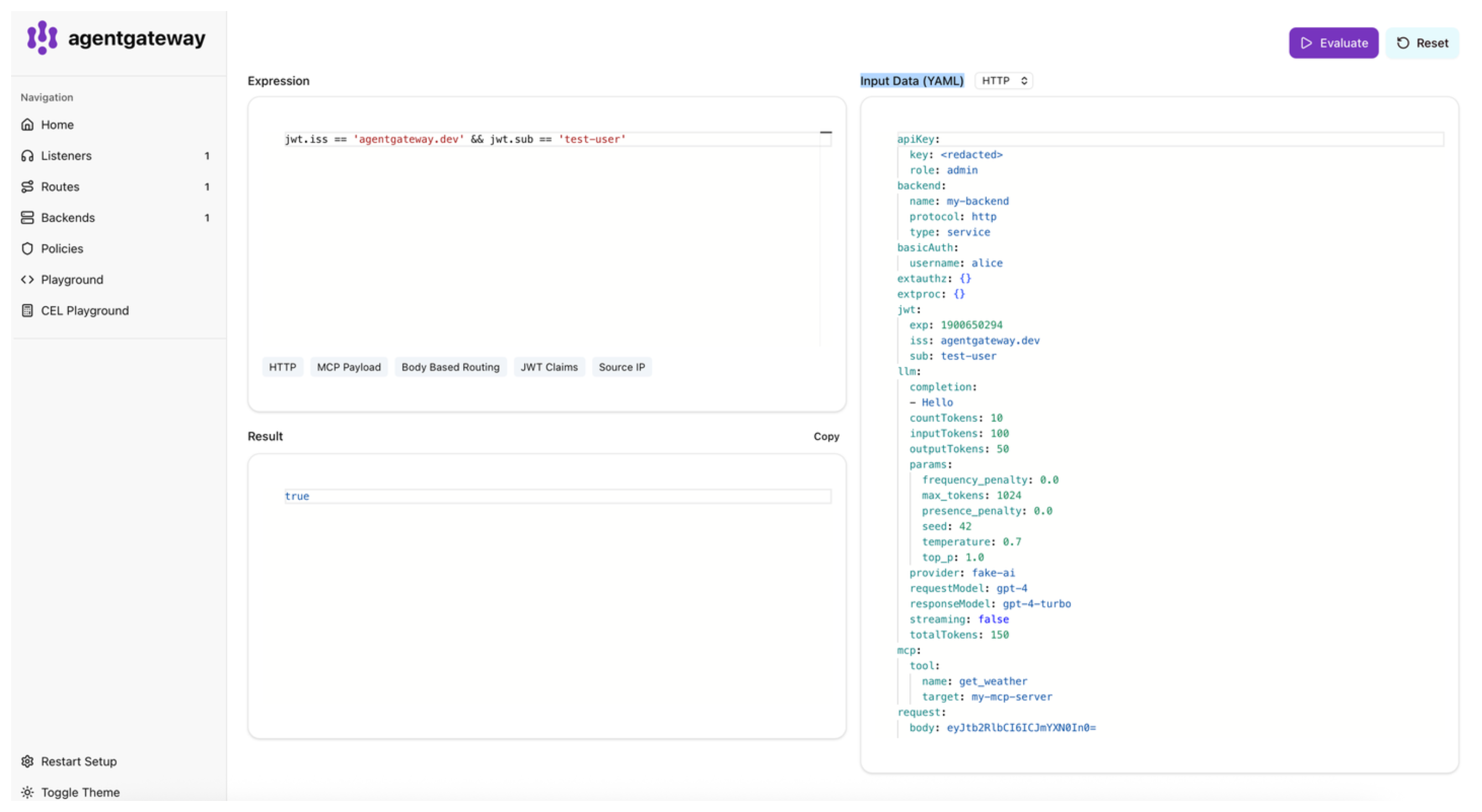
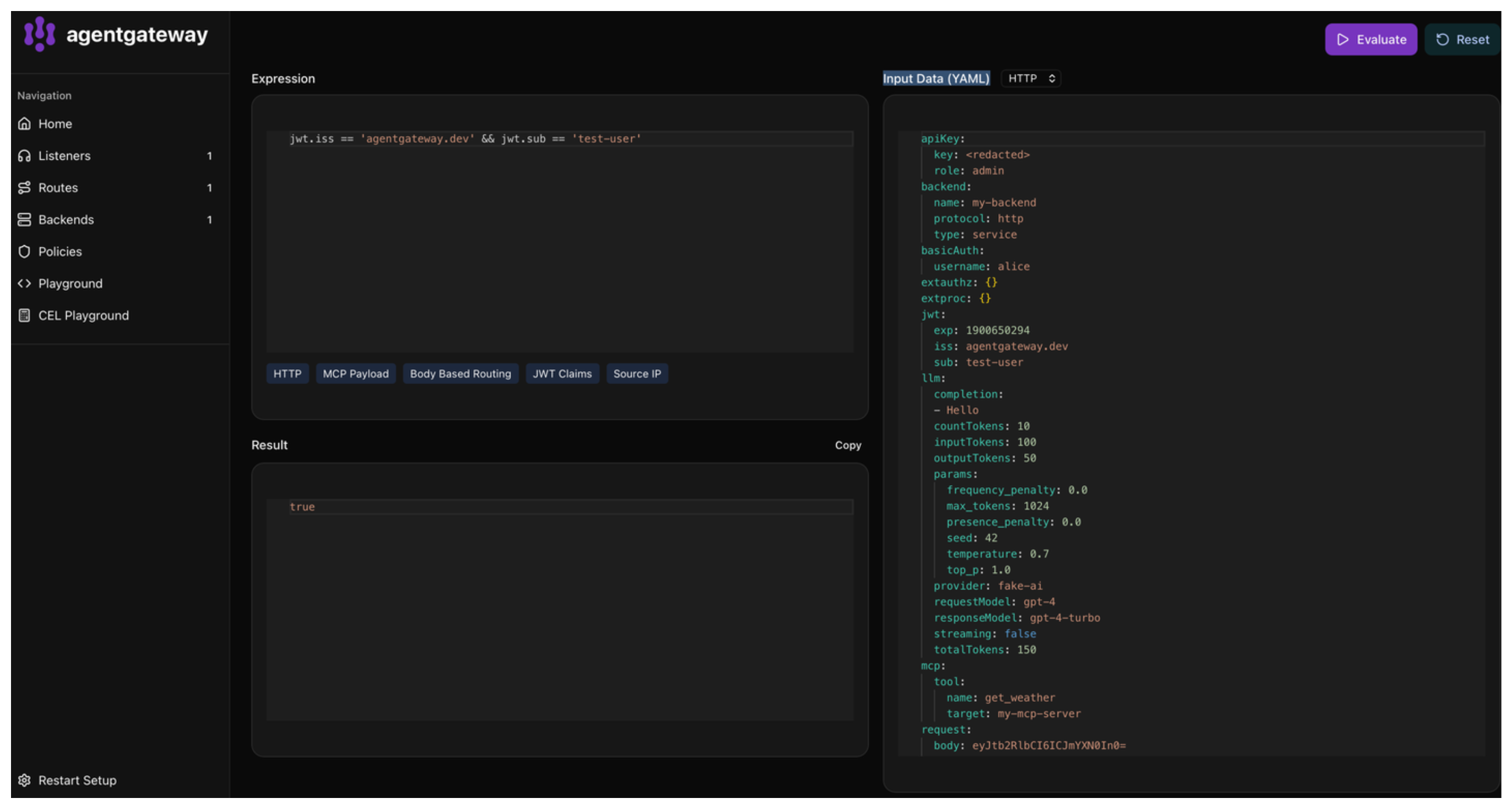
You can try out CEL expressions directly in the built-in CEL playground in the agentgateway admin UI. The playground uses agentgateway’s actual CEL runtime, so custom functions and variables specific to agentgateway are available for testing.
To open the playground:
Run agentgateway.
agentgateway -f config.yamlOpen the CEL playground.
In the Expression box, enter the CEL expression that you want to test.
In the Input Data (YAML) box, paste the YAML file structure that the CEL expression is running against.
To test your CEL expression, click Evaluate.
Example expressions
Review the following examples of expressions for different uses cases.
Default function
You can use the default function to provide a fallback value if the expression cannot be resolved.
Request header fallback with example of an anonymous user:
default(request.headers["x-user-id"], "anonymous")Nested object fallback with example of light theme:
default(json(request.body).user.preferences.theme, "light")JWT JWT (JSON Web Token) A compact, URL-safe token format used for securely transmitting information between parties. JWTs are commonly used for authentication and authorization in agentgateway. claim fallback with example of default “user” role:
default(jwt.role, "user")Logs, traces, and observability
# Include logs where there was no response or there was an error
filter: |
   !has(response) || response.code > 299
fields:
  add:
    user.agent: 'request.headers["user-agent"]'
    # A static string. Note the expression is a string, and it returns a string, hence the double quotes.
    span.name: '"openai.chat"'
    gen_ai.usage.prompt_tokens: 'llm.input_tokens'
    # Parse the JSON request body, and conditionally log...
    # * If `type` is sum, val1+val2
    # * Else, val3
    # Example JSON request: `{"type":"sum","val1":2,"val2":3,"val4":"hello"}`
    json.field: |
      json(request.body).with(b,
         b.type == "sum" ?
           b.val1 + b.val2 :
           b.val3
      )
Authorization
mcpAuthorization:
  rules:
  # Allow anyone to call 'echo'
  - 'mcp.tool.name == "echo"'
  # Only the test-user can call 'add'
  - 'jwt.sub == "test-user" && mcp.tool.name == "add"'
  # Any authenticated user with the claim `nested.key == value` can access 'printEnv'
  - 'mcp.tool.name == "printEnv" && jwt.nested.key == "value"'
Rate limiting
remoteRateLimit:
   descriptors:
   # Rate limit requests based on a header, whether the user is authenticated, and a static value (used to match a specific rate limit rule on the rate limit server)
   - entries:
      - key: some-static-value
        value: '"something"'
      - key: organization
        value: 'request.headers["x-organization"]'
      - key: authenticated
        value: 'has(jwt.sub)'
CEL in YAML
When writing CEL expressions in agentgateway, typically they are expressed as YAML string values, which can cause confusion. Any string literals within the expression need to be escaped with additional quotes.
These examples all represent the same CEL expression, a string literal "hello".
doubleQuote: "'hello'"
doubleQuoteEscaped: "\"hello\""
singleQuote: '"hello"'
blockSingle: |
  'hello'
blockDouble: |
  "hello"
These examples all represent the same CEL expression, a variable request:
doubleQuote: "request"
singleQuote: 'request'
block: |
  request
The block style is often the most readable for complex expressions, and also allows for multi-line expressions without needing to escape quotes.
Context reference
When using CEL expressions, a variety of variables and functions are made available.
Variables
Variables are only available when they exist in the current context. Previously in version 0.11 or earlier, variables like jwt were always present but could be null. Now, to check if a JWT claim exists, use the expression has(jwt.sub). This expression returns false if there is no JWT, rather than always returning true.
Additionally, fields are populated only if they are referenced in a CEL expression.
This way, agentgateway avoids expensive buffering of request bodies if no CEL expression depends on the body.
Each policy execution consistently gets the current view of the request and response. For example, during logging, any manipulations from earlier policies (such as transformations or external processing) are observable in the CEL context.
Table of variables
| Field | Type | Description |
|---|---|---|
request | object | request contains attributes about the incoming HTTP request |
request.method | string | The HTTP method of the request. For example, GET |
request.uri | string | The complete URI of the request. For example, http://example.com/path. |
request.host | string | The hostname of the request. For example, example.com. |
request.scheme | string | The scheme of the request. For example, https. |
request.path | string | The path of the request URI. For example, /path. |
request.pathAndQuery | string | The path and query of the request URI. For example, /path?foo=bar. |
request.version | string | The version of the request. For example, HTTP/1.1. |
request.headers | object | The headers of the request. |
request.body | string | The body of the request. Warning: accessing the body will cause the body to be buffered. |
request.startTime | string | The time the request started |
request.endTime | string | The time the request completed |
response | object | response contains attributes about the HTTP response |
response.code | integer | The HTTP status code of the response. |
response.headers | object | The headers of the response. |
response.body | string | The body of the response. Warning: accessing the body will cause the body to be buffered. |
env | object | env contains selected process environment attributes exposed to CEL.This does NOT expose raw environment variables, but rather a subset of well-known variables. |
env.podName | string | The name of the pod (when running on Kubernetes) |
env.namespace | string | The namespace of the pod (when running on Kubernetes) |
env.gateway | string | The Gateway we are running as (when running on Kubernetes) |
jwt | object | jwt contains the claims from a verified JWT token. This is only present if the JWT policy is enabled. |
apiKey | object | apiKey contains the claims from a verified API Key. This is only present if the API Key policy is enabled. |
apiKey.key | string | |
basicAuth | object | basicAuth contains the claims from a verified basic authentication Key. This is only present if the Basic authentication policy is enabled. |
basicAuth.username | string | |
llm | object | llm contains attributes about an LLM request or response. This is only present when using an ai backend. |
llm.streaming | boolean | Whether the LLM response is streamed. |
llm.requestModel | string | The model requested for the LLM request. This may differ from the actual model used. |
llm.responseModel | string | The model that actually served the LLM response. |
llm.provider | string | The provider of the LLM. |
llm.inputTokens | integer | The number of tokens in the input/prompt. |
llm.cachedInputTokens | integer | The number of tokens in the input/prompt read from cache (savings) |
llm.cacheCreationInputTokens | integer | Tokens written to cache (costs) Not present with OpenAI |
llm.outputTokens | integer | The number of tokens in the output/completion. |
llm.reasoningTokens | integer | The number of reasoning tokens in the output/completion. |
llm.totalTokens | integer | The total number of tokens for the request. |
llm.countTokens | integer | The number of tokens in the request, when using the token counting endpoint These are not counted as ‘input tokens’ since they do not consume input tokens. |
llm.prompt | []object | The prompt sent to the LLM. Warning: accessing this has some performance impacts for large prompts. |
llm.prompt[].role | string | |
llm.prompt[].content | string | |
llm.completion | []string | The completion from the LLM. Warning: accessing this has some performance impacts for large responses. |
llm.params | object | The parameters for the LLM request. |
llm.params.temperature | number | |
llm.params.top_p | number | |
llm.params.frequency_penalty | number | |
llm.params.presence_penalty | number | |
llm.params.seed | integer | |
llm.params.max_tokens | integer | |
llm.params.encoding_format | string | |
llm.params.dimensions | integer | |
llmRequest | any | llmRequest contains the raw LLM request before processing. This is only present during LLM policies;policies occurring after the LLM policy, such as logs, will not have this field present even for LLM requests. |
source | object | source contains attributes about the source of the request. |
source.address | string | The IP address of the downstream connection. |
source.port | integer | The port of the downstream connection. |
source.identity | object | The (Istio SPIFFE) identity of the downstream connection, if available. |
source.identity.trustDomain | string | The trust domain of the identity. |
source.identity.namespace | string | The namespace of the identity. |
source.identity.serviceAccount | string | The service account of the identity. |
source.subjectAltNames | []string | The subject alt names from the downstream certificate, if available. |
source.issuer | string | The issuer from the downstream certificate, if available. |
source.subject | string | The subject from the downstream certificate, if available. |
source.subjectCn | string | The CN of the subject from the downstream certificate, if available. |
mcp | object | mcp contains attributes about the MCP request.Request-time CEL only includes identity fields such as tool, prompt, or resource.Post-request CEL may also include fields like methodName, sessionId, and tool payloads. |
mcp.methodName | string | |
mcp.sessionId | string | |
mcp.tool | object | |
mcp.tool.target | string | The target handling the tool call after multiplexing resolution. |
mcp.tool.name | string | The resolved tool name sent to the upstream target. |
mcp.tool.arguments | object | The JSON arguments passed to the tool call. |
mcp.tool.result | any | The terminal tool result payload, if available. |
mcp.tool.error | any | The terminal JSON-RPC error payload, if available. |
mcp.prompt | object | |
mcp.prompt.target | string | The target of the resource |
mcp.prompt.name | string | The name of the resource |
mcp.resource | object | |
mcp.resource.target | string | The target of the resource |
mcp.resource.name | string | The name of the resource |
backend | object | backend contains information about the backend being used. |
backend.name | string | The name of the backend being used. For example, my-service or service/my-namespace/my-service:8080. |
backend.type | string | The type of backend. For example, ai, mcp, static, dynamic, or service. |
backend.protocol | string | The protocol of backend. For example, http, tcp, a2a, mcp, or llm. |
extauthz | object | extauthz contains dynamic metadata from ext_authz filters |
extproc | object | extproc contains dynamic metadata from ext_proc filters |
metadata | object | metadata contains values set by transformation metadata expressions. |
Variables by policy type
Depending on the policy, different fields are accessible based on when in the request processing they are applied.
| Policy | Available Variables |
|---|---|
| Transformation | source, request, jwt, extauthz |
| Remote Rate Limit | source, request, jwt |
| HTTP Authorization | source, request, jwt |
| External Authorization | source, request, jwt |
| MCP Authorization | source, request, jwt, mcp |
| Logging | source, request, jwt, mcp, extauthz, response, llm |
| Tracing | source, request, jwt, mcp, extauthz, response, llm |
| Metrics | source, request, jwt, mcp, extauthz, response, llm |
Functions
The following functions can be used in all policy types.
| Function | Purpose |
|---|---|
json | Parse a string or bytes as JSON. Example: json(request.body).some_field. |
toJson | Convert a CEL value into a JSON string. Example: toJson({"hello": "world"}). |
unvalidatedJwtPayload | Parse the payload section of a JWT without verifying the signature. This splits the token, base64url-decodes the middle segment, and parses it as JSON. Example: unvalidatedJwtPayload(request.headers.authorization.split(" ")[1]).sub |
with | CEL does not allow variable bindings. with allows doing this. Example: json(request.body).with(b, b.field_a + b.field_b) |
variables | variables exposes all of the variables available as a value. CEL otherwise does not allow accessing all variables without knowing them ahead of time. Warning: this automatically enables all fields to be captured. |
mapValues | mapValues applies a function to all values in a map. map in CEL only applies to map keys. |
filterKeys | Returns a new map keeping only entries where the key matches the predicate (must evaluate to bool). Example: {"a":1,"b":2}.filterKeys(k, k == "a") results in {"a":1}. To remove keys, invert the predicate: m.filterKeys(k, !k.startsWith("x_")). |
merge | merge joins two maps. Example: {"a":2,"k":"v"}.merge({"a":3}) results in {"a":3,"k":"v"}. |
flatten | Usable only for logging and tracing. flatten will flatten a list or struct into many fields. For example, defining headers: 'flatten(request.headers)' would log many keys like headers.user-agent: "curl", etc. |
flattenRecursive | Usable only for logging and tracing. Like flatten but recursively flattens multiple levels. |
base64.encode | Encodes a string to a base64 string. Example: base64.encode("hello"). |
base64.decode | Decodes a string in base64 format. Example: string(base64.decode("aGVsbG8K")). Warning: this returns bytes, not a String. Various parts of agentgateway will display bytes in base64 format, which may appear like the function does nothing if not converted to a string. |
random | Generates a number float from 0.0-1.0 |
default | Resolves to a default value if the expression cannot be resolved. For example default(request.headers["missing-header"], "fallback") |
coalesce | Evaluates expressions from left to right and returns the first one that resolves successfully to a non-null value. null values are skipped while searching, but if every expression is either null or an error and at least one expression resolved to null, the result is null. Unlike default, it swallows any error from earlier expressions, not just missing keys or undeclared references. Example: coalesce(request.headers["x-id"], json(request.body).id, "fallback") |
regexReplace | Replace the string matching the regular expression. Example: "/id/1234/data".regexReplace("/id/[0-9]*/", "/id/{id}/") would result in the string /id/{id}/data. |
fail | Unconditionally fail an expression. |
uuid | Randomly generate a UUIDv4 |
The following standard functions are available:
contains,size,has,map,filter,all,max,startsWith,endsWith,string,bytes,double,exists,exists_one,int,uint,matches.- Duration/time functions:
duration,timestamp,getFullYear,getMonth,getDayOfYear,getDayOfMonth,getDate,getDayOfWeek,getHours,getMinutes,getSeconds,getMilliseconds. - From the strings extension:
charAt,indexOf,join,lastIndexOf,lowerAscii,upperAscii,trim,replace,split,substring,stripPrefix,stripSuffix. - From the Kubernetes IP extension:
isIP("..."),ip("..."),ip("...").family(),ip("...").isUnspecified(),ip("...").isLoopback(),ip("...").isLinkLocalMulticast(),ip("...").isLinkLocalUnicast(),ip("...").isGlobalUnicast(). - From the Kubernetes CIDR extension:
cidr("...").containsIP("..."),cidr("...").containsIP(ip("...")),cidr("...").containsCIDR(cidr("...")),cidr("...").ip(),cidr("...").masked(),cidr("...").prefixLength().
