Streaming
Verified Code examples on this page have been automatically tested and verified.Models return a response in two main ways: all at once in a single chunk, or in a stream of chunks.
Click through the following tabs to see the request flows for each.
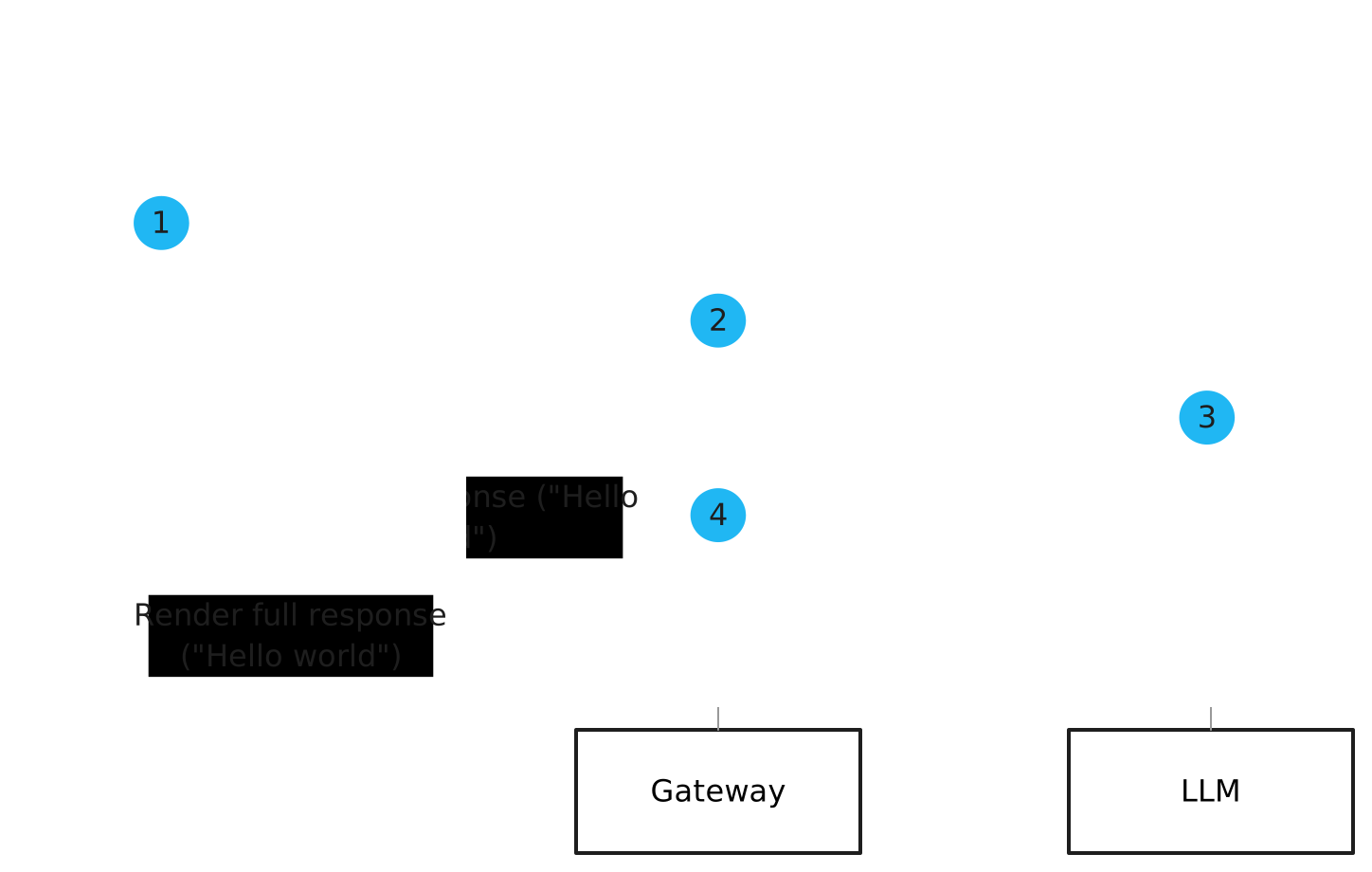
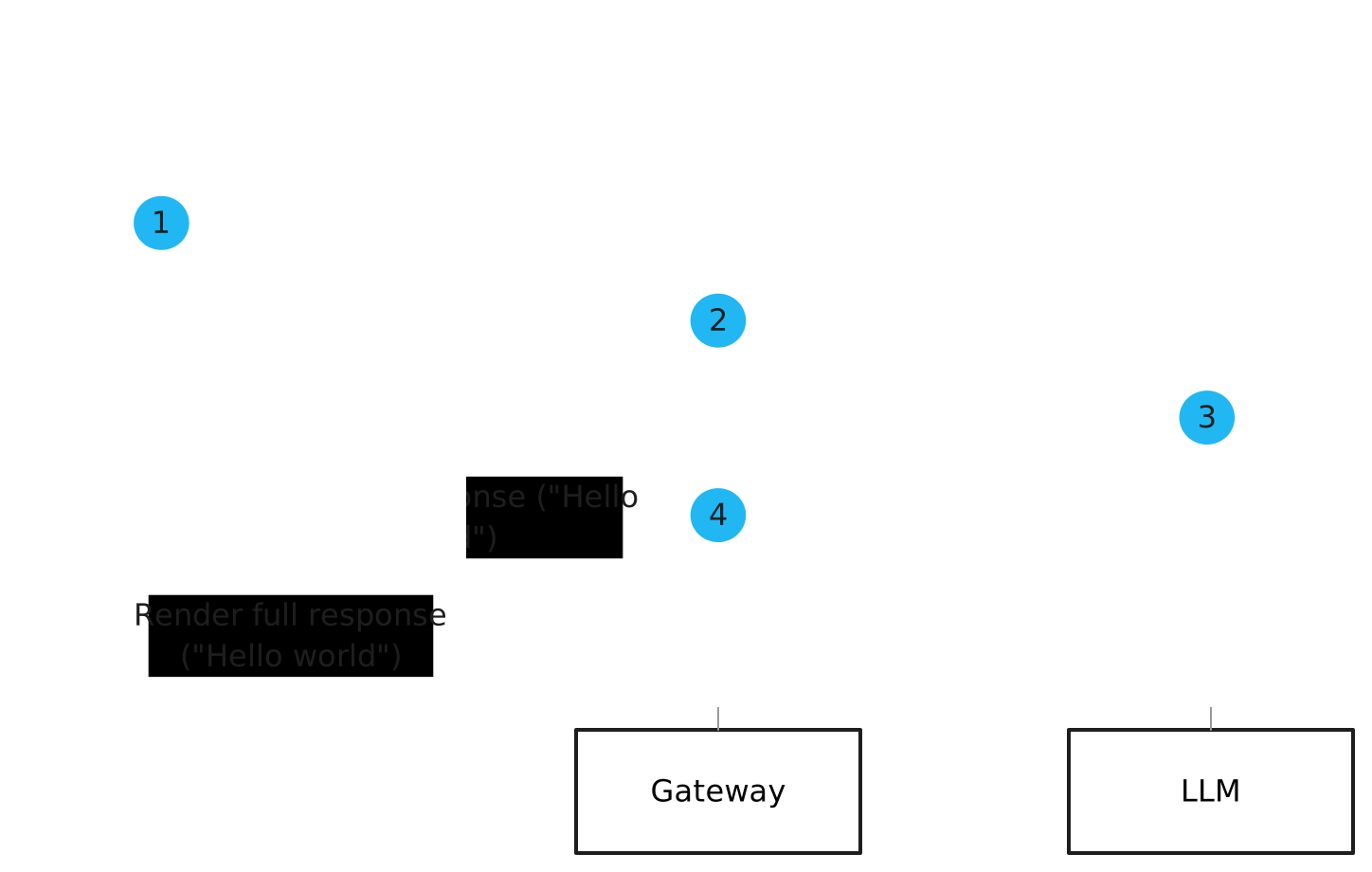
- The client sends a request without streaming.
- The gateway receives the request and forwards it to the LLM.
- The LLM processes the request and generates a response, such as
"Hello world". - The gateway forwards the response in a single chunk to the client.
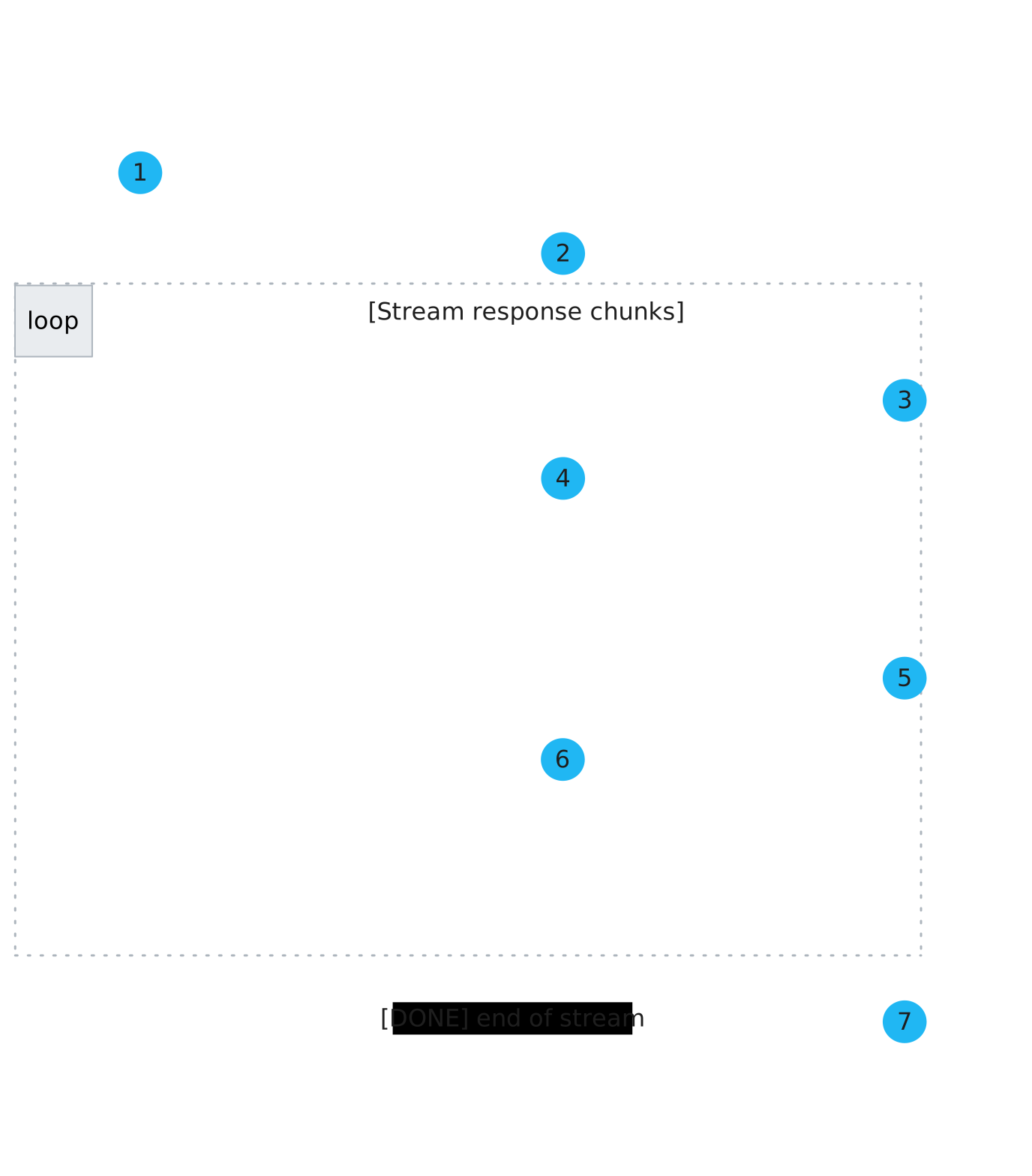
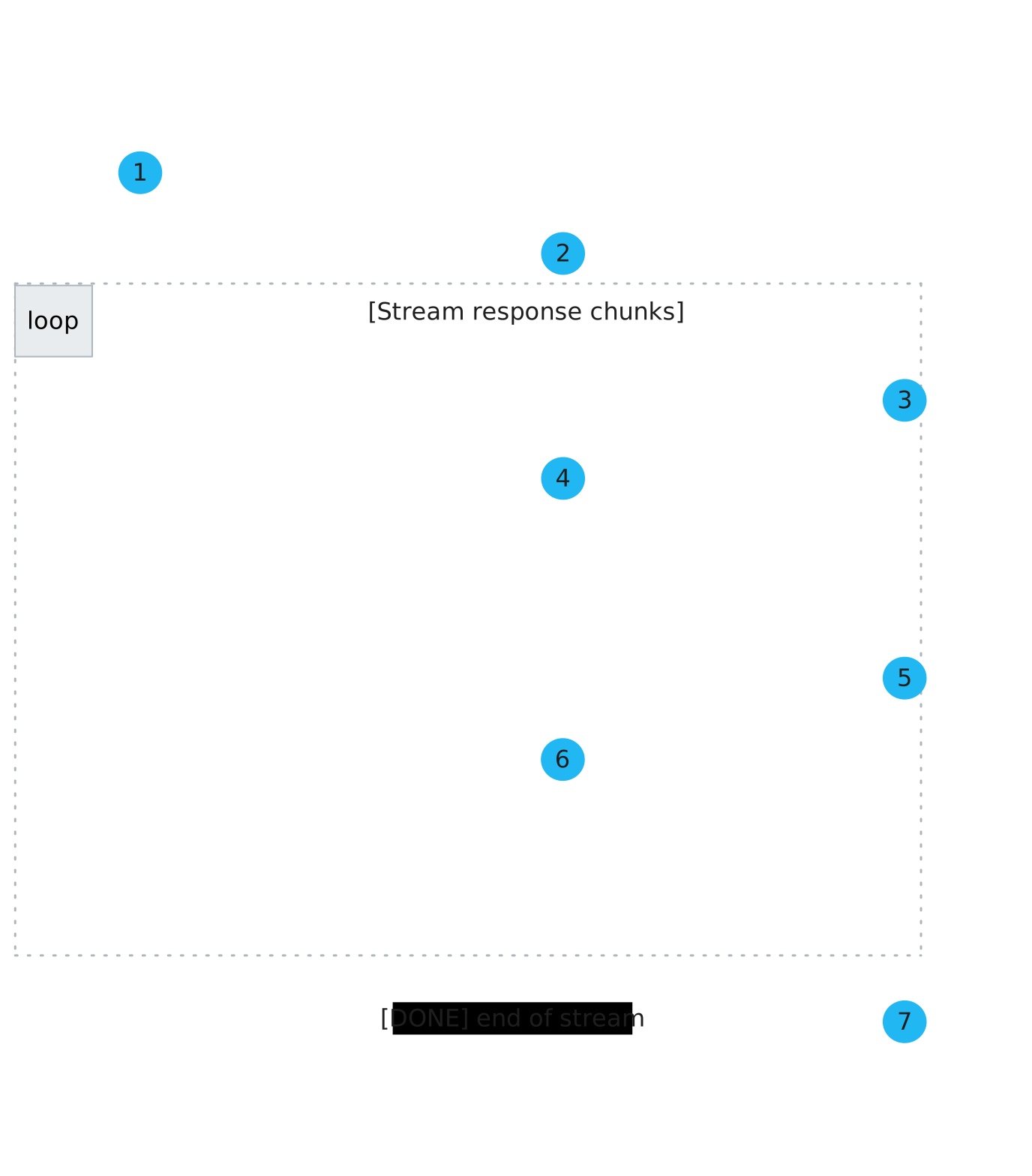
- The client sends a request with streaming enabled.
- The gateway receives the request and forwards it to the LLM.
- The LLM processes the request and generates the first chunk of a response, such as
"Hello". - The gateway forwards the first chunk to the client.
- The LLM continues to generate the next chunk of the response, such as
" world". - The gateway forwards the second chunk to the client.
- The streaming process repeats until the entire response is generated and returned to the client.
Streaming benefits
Streaming is useful for:
- Large responses that take a long time to generate. This way, you avoid a lag that could impact the user experience or even trigger a timeout that interrupts the response generation process.
- Responses that are better received in smaller chunks, such as logging to troubleshoot or diagnose issues later.
- Interactive, chat-style applications where you want to see the response in real time.
With agentgateway, you can still apply policies to your streaming responses, such as prompt guards, JWT auth, and rate limiting.
Provider differences
The streaming process differs for each LLM provider.
Request parameter for OpenAI, Azure, and Anthropic
OpenAI, Azure, and Anthropic support streaming responses through Server-Sent Events (SSE). Note that Anthropic allows for more granular events such as message_start and content_block_start.
In the body of your request to the LLM, include the stream parameter, such as in the following example:
'{
      "stream": true,
      "model": "gpt-3.5-turbo",
      "messages": [
        {
          "role": "system",
          "content": "You are a skilled developer who is good at explaining basic programming concepts to beginners."
        },
        {
          "role": "user",
          "content": "In a couple words, tell me what I should call my first GitHub repo."
        }
      ]
    }'
For more information, see the LLM provider docs:
TrafficPolicy for Gemini, Vertex
Google uses an HTTP stream protocol which requires special handling. agentgateway automatically handles this for Gemini and Vertex when you configure the route type with a AgentgatewayPolicy.
In the AgentgatewayPolicy for the HTTPRoute to the LLM provider, set the routeType option to CHAT_STREAMING, such as the following example:
apiVersion: agentgateway.dev/v1alpha1
kind: AgentgatewayPolicy
metadata:
  name: gemini-opt
  namespace: default
spec:
  targetRefs:
  - group: gateway.networking.k8s.io
    kind: HTTPRoute
    name: gemini
  ai:
    routeType: CHAT_STREAMING
For more information, see the LLM provider docs:
Streaming example
The following steps show how to stream a response from OpenAI.
Before you begin
Stream a response from OpenAI
Send a request to the OpenAI provider that includes the streaming parameter
"stream": "true". For other providers, see Provider differences.curl "http://${INGRESS_GW_ADDRESS}/openai" -H content-type:application/json -d '{ "stream": true, "model": "gpt-3.5-turbo", "messages": [ { "role": "system", "content": "You are a skilled developer who is good at explaining basic programming concepts to beginners." }, { "role": "user", "content": "In a couple words, tell me what I should call my first GitHub repo." } ] }'curl "localhost:8080/openai" -H content-type:application/json -d '{ "stream": true, "model": "gpt-3.5-turbo", "messages": [ { "role": "system", "content": "You are a skilled developer who is good at explaining basic programming concepts to beginners." }, { "role": "user", "content": "In a couple words, tell me what I should call my first GitHub repo." } ] }'In the output, verify that the request succeeds and that you get back a streamed response from the chat completion API.
data: {"id":"chatcmpl-BKq9o...","object":"chat.completion.chunk","created":1744306752,"model":"gpt-3.5-turbo-0125","choices":[{"index":0,"delta":{"role":"assistant","content":"","refusal":null},"logprobs":null,"finish_reason":null}]}

data: {"id":"chatcmpl-BKq9o...","object":"chat.completion.chunk","created":1744306752,"model":"gpt-3.5-turbo-0125","choices":[{"index":0,"delta":{"content":"You"},"logprobs":null,"finish_reason":null}]}

data: {"id":"chatcmpl-BKq9o...","object":"chat.completion.chunk","created":1744306752,"model":"gpt-3.5-turbo-0125","choices":[{"index":0,"delta":{"content":" can"},"logprobs":null,"finish_reason":null}]}

data: {"id":"chatcmpl-BKq9o...","object":"chat.completion.chunk","created":1744306752,"model":"gpt-3.5-turbo-0125","choices":[{"index":0,"delta":{"content":" call"},"logprobs":null,"finish_reason":null}]}
...
data: {"id":"chatcmpl-BKq9o...","object":"chat.completion.chunk","created":1744306752,"model":"gpt-3.5-turbo-0125","choices":[{"index":0,"delta":{},"logprobs":null,"finish_reason":"stop"}]}

data: [DONE]
If you string together the
{"content":...}chunks, you get the complete response. The[DONE]message indicates that the streaming process is complete.
